




How the CS2 Trade-Up Contract Works: Rules, Float and Outcomes
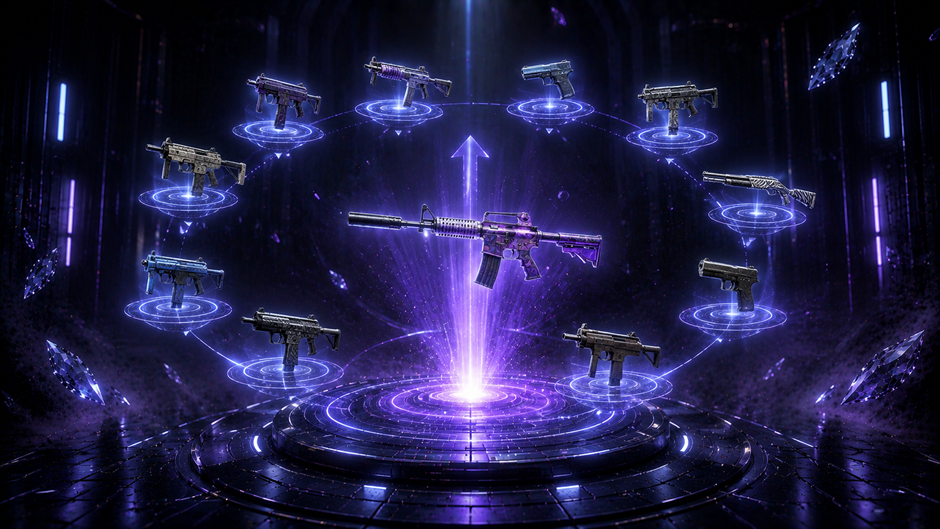
A CS2 trade-up contract exchanges exactly 10 skins of one rarity tier for a single skin of the next tier up. The result is not fully random – it is constrained by which collections the input skins come from and shaped by their float values. Understanding those two variables is what separates a deliberate contract from an uninformed one.
This article covers the rules that govern which skins can be used, how the output is determined, and how float affects the result.
What Is a Trade-Up Contract in CS2?
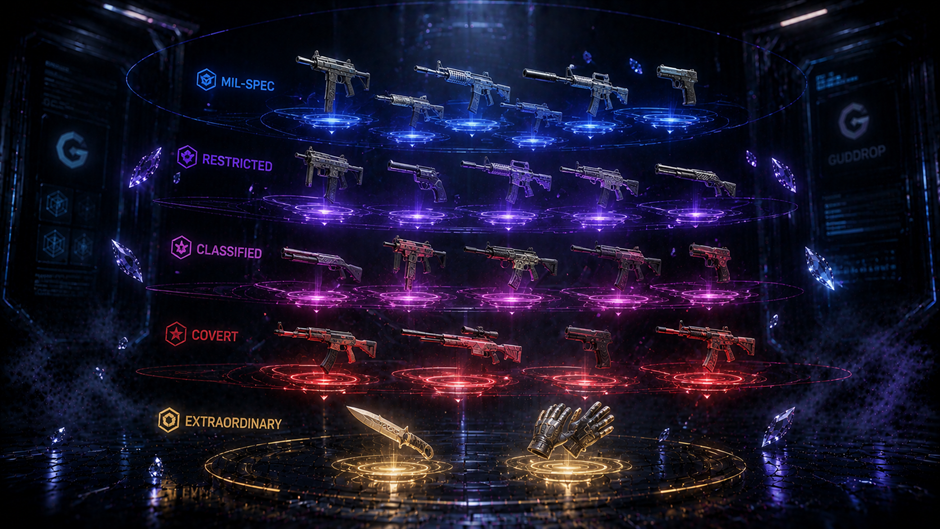
A trade up CS2 contract takes exactly 10 skins of the same rarity and returns one skin of the next rarity tier. Mil-Spec inputs produce a Restricted result. Restricted inputs produce a Classified result. Classified inputs produce a Covert result. The mechanic runs in one direction only – there is no downgrade equivalent.
The output skin is selected randomly, but the pool of possible outputs is not open-ended. It is limited to the skins of the target rarity that belong to the same collections as the input skins. A contract built entirely from skins in one collection can only return skins from that collection at the next rarity tier. That constraint is what makes the CS2 trade up contract a partially controllable mechanic rather than a purely random one – the player determines the output pool through the choice of input collections, even though the specific skin within that pool is assigned randomly.
Core Rules of the Trade-Up Contract

Three restrictions govern which skins can enter a contract. Each one has a direct practical consequence that affects what the contract can produce.
Rarity and Quantity Requirements
Every CS2 trade up contract requires exactly 10 skins – no more, no fewer. All 10 must share the same skin rarity CS2 tier: 10 Mil-Spec, 10 Restricted, or 10 Classified. Mixing rarity tiers is not permitted, and the contract slot will not accept a combination of different rarities regardless of how similar the skins appear visually.
Covert skins – the red tier – cannot be used as inputs in a standard trade-up contract. The standard contract tops out at Classified inputs producing Covert outputs. A separate mechanic applies when the goal is a knife or gloves, which operates at the Covert level and is covered in the next section. The practical consequence of the rarity requirement is straightforward: the skin rarity CS2 tier of your inputs sets a hard ceiling on what tier of output is possible, and that ceiling cannot be adjusted after the contract is submitted.
StatTrak Restriction
All 10 input skins must either be standard or all StatTrak – the two types cannot be combined in the same contract. A single standard skin in a StatTrak contract, or a single StatTrak skin in a standard contract, makes the combination invalid.
The practical consequence affects output value directly. A StatTrak contract produces a StatTrak result, and StatTrak versions of most skins trade at a significant premium over standard versions at the same wear grade. Players targeting a StatTrak output need to source 10 StatTrak inputs at the correct rarity tier – which typically costs more than sourcing standard inputs – but the resulting skin carries a StatTrak counter that standard contracts cannot produce.
Trading Up to Knives and Gloves
Ten Covert skins can be submitted in a contract with a chance of returning a knife or gloves from the same collections as the inputs. The mechanic follows identical rules to the standard trade-up: exactly 10 inputs, all the same rarity tier, all standard or all StatTrak. The only structural difference is that the output tier contains knives and gloves rather than standard weapon skins.
The output is not guaranteed to be a knife or gloves – it is selected randomly from the rare item pool of the relevant collections, which may include both knives and gloves depending on which collections the input skin rarity CS2 Covert skins belong to. Collection choice at the Covert level determines whether knives, gloves, or both are in the possible output pool.
How the Outcome Is Determined
Two independent variables control what a CS2 trade up contract produces: which collections the input skins belong to, and what float values those skins carry. Each variable affects a different dimension of the output.
Collection Logic
Every skin in CS2 belongs to a specific collection – a named group of skins released together. When a trade up CS2 contract is submitted, the game identifies which collections the 10 input skins come from and uses that distribution to weight the output pool.
A contract built from 5 skins from Collection A and 5 skins from Collection B produces a 50% probability of an output from each collection. A contract built from 8 skins from Collection A and 2 from Collection B shifts the output distribution to 80% Collection A and 20% Collection B. The weighting is proportional to input count, not to the value or rarity of individual skins within the collection.
This is the only lever a player has over which specific skins can appear as outputs. The random selection within the weighted pool cannot be influenced after the contract is submitted – but the pool itself is entirely determined by input collection choice before submission. A contract built from a single collection removes all randomness from the output pool selection: the result will come from that collection with 100% probability, though the specific skin within the collection's output tier is still assigned randomly.
Float Calculation
The float value of the output skin is the arithmetic mean of the float values of all 10 input skins. Add the 10 float values together and divide by 10 – the result determines the wear condition of the output.
The practical consequence is direct. Ten Factory New inputs with an average float of 0.03 produce a Factory New output at 0.03. Ten Field-Tested inputs averaging 0.25 produce a Field-Tested output at 0.25. A mixed set with an average of 0.08 produces an output at 0.08 – which may still be Factory New depending on the specific skin's float range, or may fall into Minimal Wear.
CS GO float management is where contract value is most directly controlled. A high-value output skin in Factory New condition trades at a significant premium over the same skin in Minimal Wear or Field-Tested. The cost of sourcing 10 low-float inputs at the correct rarity tier is typically higher than sourcing higher-float inputs – and that cost difference is what determines whether the contract produces an output worth more or less than the total input value. The float arithmetic is fixed and applies identically to every contract regardless of which skins are used.
How to Choose Skins for a Trade-Up Contract
Three parameters determine the quality of a trade up CS2 contract before it is submitted. Each one is fully within the player's control at the input stage and cannot be adjusted after the contract runs.
Rarity tier is the starting point. The rarity of the input skins sets the tier of the output – Mil-Spec inputs cannot produce anything above Restricted, Classified inputs cannot produce anything above Covert. Identifying which output tier is the target determines which input tier is required, and that tier filters the entire skin selection before any other consideration applies.
Collection composition controls the output pool. Once the rarity tier is set, the collections the input skins belong to determine which specific skins can appear as the result. If the target is a specific output skin, every input skin should come from a collection that contains that skin at the output tier. Inputs from unrelated collections add probability weight toward outputs that are not the target – which may or may not be acceptable depending on whether the alternative outputs have comparable value.
CS GO float management determines the wear condition of the output. The output float equals the average of all 10 input float values, so controlling the average float of the inputs directly controls the output wear grade. For output skins where Factory New trades significantly above Minimal Wear, sourcing low-float inputs at the correct rarity tier is the mechanism that produces a higher-value output. For skin rarity CS2 tiers where the float range for Factory New is narrow, the average needs to be calculated precisely – a mean that falls at 0.07 instead of 0.06 may cross the boundary between Factory New and Minimal Wear on certain skins.
The Contracts section on GudDrop shows the available input requirements and success probability before you confirm – checking those parameters before committing is the practical starting point.
Trade-Up Calculators
The three-variable structure of a CS2 trade up contract – rarity tier, collection weighting, and float averaging – produces calculations that are straightforward in principle but tedious to run manually across multiple possible input combinations. Float averaging across 10 skins with different values, combined with collection probability weighting and output skin value comparison, creates enough complexity that manual calculation is error-prone at scale.
The CS2 community has developed trade-up calculators specifically for this problem. These tools take a set of proposed input skins, calculate the weighted output probability across all relevant collections, compute the average float of the inputs, and display the possible output skins with their respective probabilities and expected float values – all before the contract is submitted. The output is a clear picture of what the contract can produce and at what wear grade, which allows direct comparison between input cost and probable output value.
Using a calculator before submitting a contract does not change the mechanics or improve the odds – it makes the existing mechanics transparent. The random selection within the output pool remains unchanged. What changes is whether the player understands the full range of possible outcomes before the contract runs.
Trade-Up Contracts on GudDrop
GudDrop implements the trade up CS2 mechanic through its Contracts section, accessible from the main navigation after logging in via Steam. The platform follows the standard input structure: a set number of skins of the same quality are submitted together, and the system returns one skin of higher quality.
The Contracts page on GudDrop shows the requirements before confirmation – input count, quality tier, and the success probability for that specific contract configuration. That probability is displayed before the contract runs, which means the outcome parameters are visible at the decision point rather than after. The processing is near-instant once confirmed.
GudDrop also displays any applicable service fee before confirmation, consistent with how the platform handles case opening and upgrade mechanics. The CS2 trade up contract result goes directly to your GudDrop inventory, from where it can be transferred to Steam using the Trade URL configured in your account settings. Items that are not transferred within the one-month handling window are disposed of according to platform rules – the same timeline that applies to all inventory items on GudDrop.
The Contracts section on GudDrop is the starting point for running a trade-up on the platform – input requirements and success probability are shown before you confirm.
9 minutes read

What Hardware You Need for CS2 in 2025: Building the Perfect PC to Win
5 minutes read
How to achieve a green Trust Factor in CS2 and forget about toxic teammates
6 minutes read
Reduce Ping and Lags in CS2: Practical Tips for Optimizing Internet Connection and Network Settings
9 minutes read

